The seat map your buyers deserve, without building it yourself.
Canvas renders Studio-authored charts with the signature three-level zoom, live seat states, and your theme, on web, mobile, and inside any framework. Licensed, self-hostable, and never priced per seat.
One renderer, every kind of venue
The demo is Seatmap Canvas Next running on this page. Pick a venue and zoom from the bowl down to a single seat.
From Studio canvas to the buyer's screen
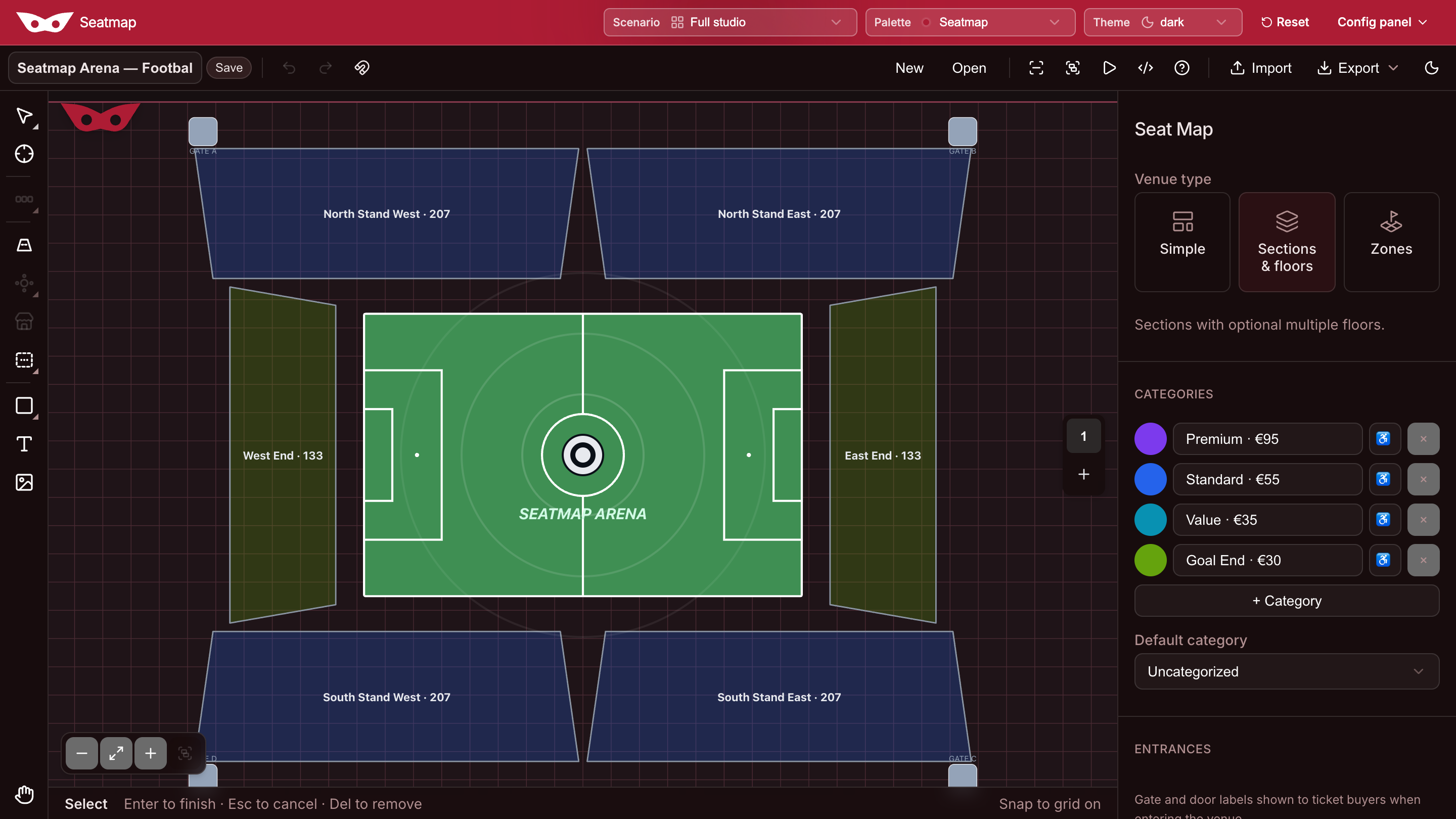
Charts are authored once in Seatmap Studio and rendered pixel-identical by Canvas. Here are both sides of that pipeline.
Sound familiar?
Double-booking is a trap
Read-then-write selection races under load, and a cache alone can lose a hold on failover. Canvas plugs into holds and DB-backed reservations that make selling the same seat twice structurally impossible.
Per-seat meters that punish growth
Seat-map SaaS bills per used seat and lets unused seats expire. Canvas is licensed flat, a 300-seat hall or a 30,000-seat bowl on the same terms.
Cloud-only widgets hit a wall
When procurement demands data residency, hosted-only tools are a dead end. Canvas runs on your infrastructure, under your branding.
The details buyers feel
Compare
| seatmap-canvas v1 | Seatmap Canvas Next | |
|---|---|---|
| How far it can go | A hall of a few thousand seats | A stadium bowl that still pans and zooms |
| Above and below | One floor | Nine floors — balcony over stalls, cabin over cabin |
| What the night can hold | Seats in blocks | Seats, standing room, booths, banquet tables |
| The ground it can sit on | An indoor plan | A theatre, a festival field, a racetrack on a map |
| The path to a seat | Venue, then block, then the seat | From the map, through the floors, down to the seat |
| How the venue is born | You write it in JSON | You draw it in Studio. The map plays it back. |
| What a seat can say | A title and a note | Price, category, a picture — the offer on the seat |
| When the house fills | You send a new JSON | Sold and held land on the map as they happen |
| Without a pointer | — | Walk the map with a keyboard |
Technical
| seatmap-canvas v1 | Seatmap Canvas Next | |
|---|---|---|
| Renderer | D3.js · SVG | WebGL2 |
| Chart format | blocks[] + seats[] | Studio ChartDocument (blocks, objects, floors, geo) |
| Selection API | SEAT.CLICK, select / unselect | Same host-toggle events |
| Seat status | Host rewrites JSON | setSeatStatus, applyObjectAvailability |
| Tooltip | Title / note | resolveTooltipOffer |
| Framework packages | React, Vue 3, Next.js, Angular | Vanilla JS |
| Pretix parser | Built-in | Not shipped |
| License | MIT | Commercial |
| Install | npm i @alisaitteke/seatmap-canvas | Licensed bundle, not on npm |
Author once, render everywhere
- 01Draw it in StudioSections, floors, tables, and GA areas, authored once as the canonical chart.
- 02Render pixel-identicalCanvas renders the same chart document buyers will see, down to the theme.
- 03Wire it into your flowAround thirty typed events and a programmatic API. Zoom, floors, and selection stay under your control.
import { SeatMapCanvas } from "seatmap-canvas";import "seatmap-canvas/dist/seatmap.canvas.css";const seatmap = new SeatMapCanvas("#seatmap", {theme: "dark",legend: true,});seatmap.data.replaceData(chart);seatmap.eventManager.addEventListener("SEAT.CLICK", (seat) => {if (!seat.item.salable) return;seat.isSelected() ? seat.unSelect() : seat.select();});
- Commercial license
- Not on npm
- TypeScript types
- ESM + CJS builds
- Vanilla JS API
- WebGL2
See your venue in Canvas
Open the demo and zoom from the bowl down to the exact seat.